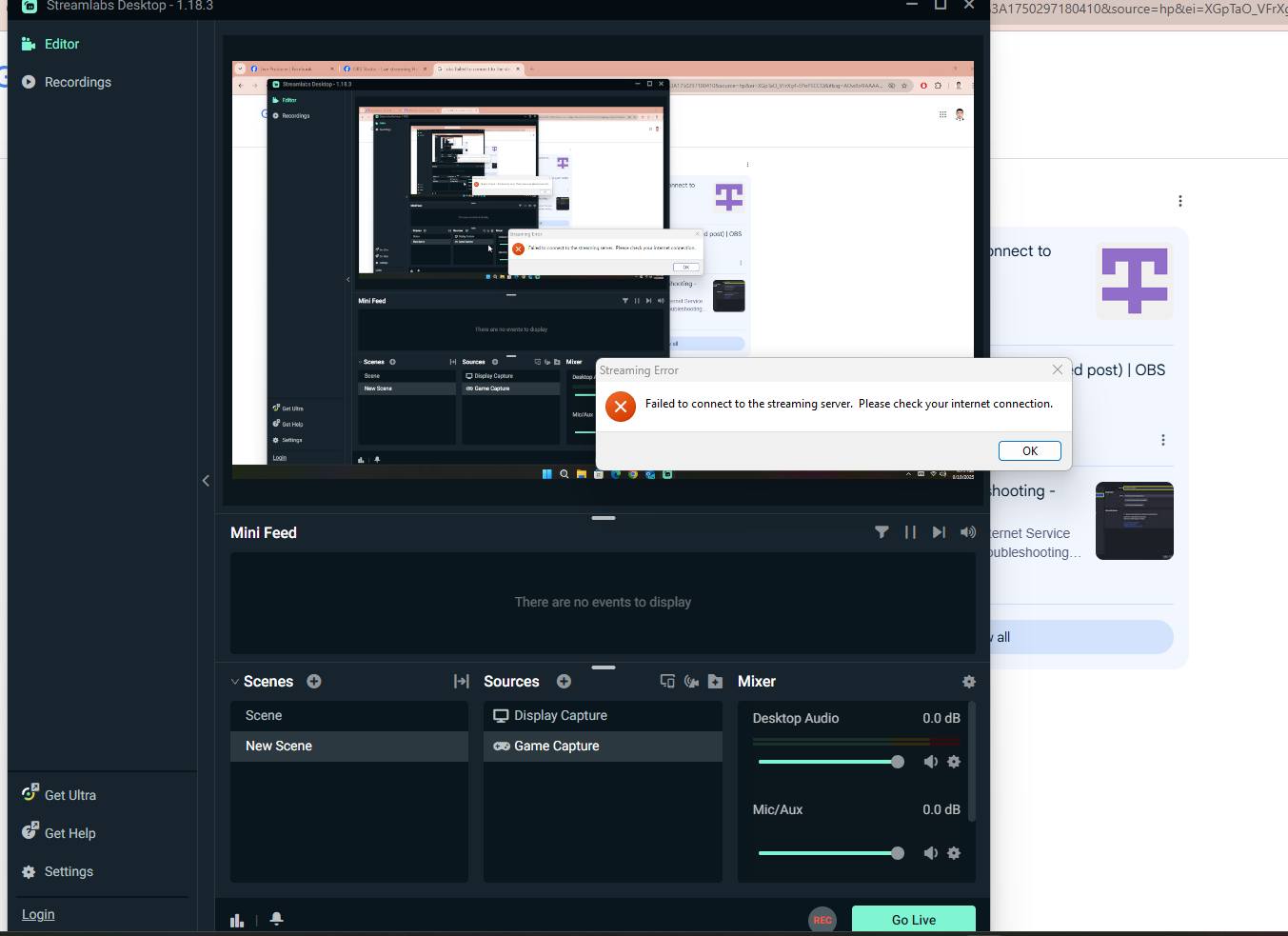
Please help me guys. Trying to stream here on fb but my obs said “failed to connect to the streaming server. please check your internet connection” yet my internet connection is great. Thanks
- Restart everything: Restart your computer and your router/modem. Unplug them for about 60 seconds before plugging them back in.
- Check internet connection: Make sure your internet is working by visiting other websites. You can also run a speed test to check your connection’s stability.
- Log out and restart the application: Log out of your streaming software, restart the application, and then log back in.
- Run as administrator: Try running the application as an administrator. Right-click the application icon and select “Run as administrator”.
- Check stream key/credentials: Verify that your stream key and server are correct. Try refreshing your stream key on the platform’s website.
- Adjust IP address settings: In your streaming software’s advanced settings, look for “Bind to IP” and try changing it to “Default” or selecting your local IP address from the dropdown menu.
- Install C++ Redistributables: For applications like Streamlabs, installing the latest Microsoft C++ Redistributables can resolve issues.
- Disable firewall/antivirus: Temporarily disable your firewall and antivirus software to see if they are blocking the connection. If this fixes the issue, you’ll need to add an exception or “whitelist” your streaming application in the settings for that software.
- Disable proxy/VPN: If you are using a proxy server or VPN, disable it. You may also need to uncheck proxy settings in your operating system’s network settings.
- Check port forwarding: Make sure the necessary ports for your streaming service are open on your router. You may need to configure your router’s firewall.
- Contact your ISP: If you’ve tried all other steps, your internet service provider might be able to help. There could be congestion or other issues on their end.
- Submit a support ticket: If you are still unable to fix the issue, submit a support ticket to the developers of your streaming software. Include a diagnostic report if possible.
Instructions to fix the error of not being able to connect to the server when Stream facebook, youtube. How to fix Address not available error you may have tried to bind to an invalid ip address (see Settings – Advanced ) when using the latest Stream OBS to LIVE trym on facebook, youtube.
If you encounter an error like the picture, fix the following:

How to fix:
Open the OBS Studio software to access ” Settings > Advanced at the interface, then select” Default (Default) in the Bind to IP section under Network section. select finished, click Apple > OK is done and open OBS to stream normally.